



When Documentation Finds Its Voice
Think about the last time you opened up a long technical manual. It was probably an API manual, a product manual, or a whitepaper. You probably scrolled, skimmed, and maybe bookmarked a page to “read later.” But what if, rather than seeing wall of text, you heard that documentation on your way to work, while cooking dinner, or while taking out the trash?
That’s the promise of text to speech (TTS) AI models in the documentation world. We’re entering an era where docs don’t just sit silently on a page they speak. And this shift isn’t just a gimmick. It’s about accessibility, productivity, and rethinking how knowledge is consumed.
In this piece, we will examine how AI voiceovers are transforming documentation, why it matters to teams and businesses, and how you can start thinking about “docs that speak” in your own workflows.
Why Voice Matters in Documentation

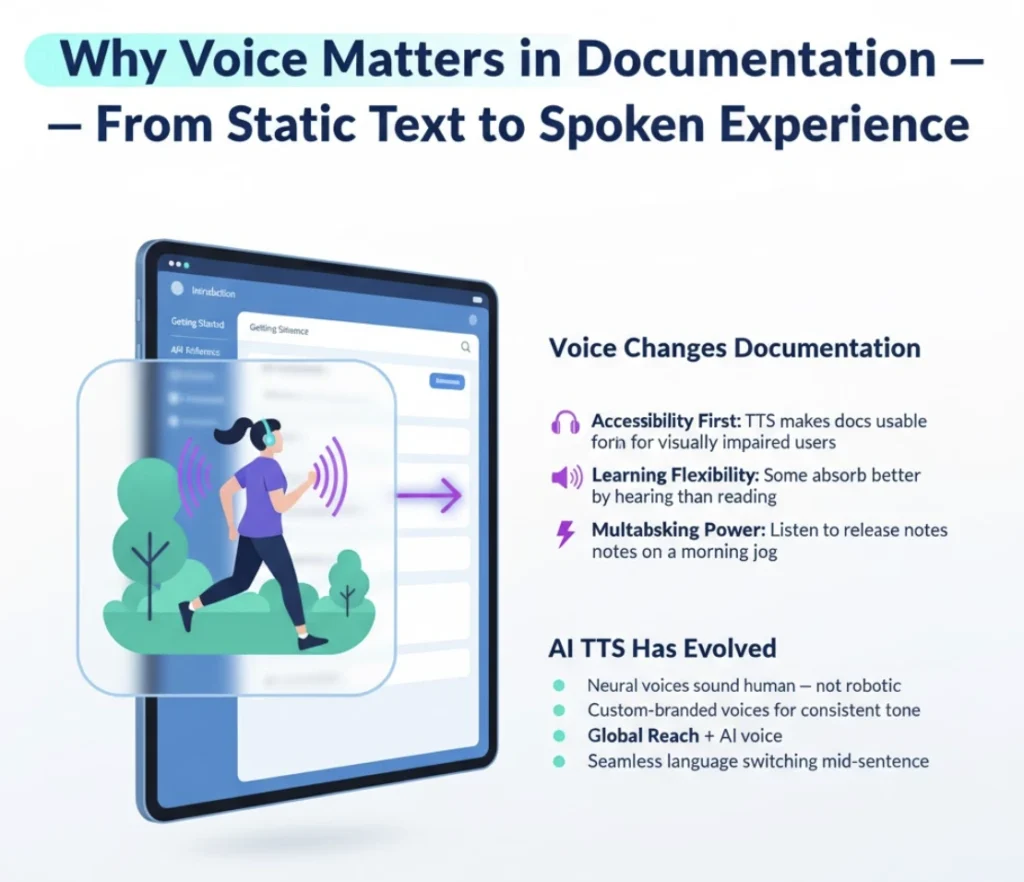
Documentation has never been more about being clear and accessible. But previously, accessibility has come to mean readability: clean layout, well-structured organization, and maybe translation for non native readers.
Voice adds a new dimension. Here’s why it matters:
- Accessibility to all: For visually impaired users, TTS is not a nice to have, it’s a necessity. AI voice models now produce natural, human sounding narration that makes docs actually usable.
- Learning styles: Some people learn more by ear. Think of podcasts, audiobooks, or lectures why shouldn’t documentation offer the same flexibility?
- Multitasking: Reading takes concentration. Listening can be done while engaged in other activities. Picture getting caught up on release notes on your morning jog.
- Global reach: Combined with auto translation, TTS can provide docs in various languages and voices, making content more accessible than ever.
In a nutshell, voice turns documentation from a static document into a dynamic, multi-sensory experience.
The Evolution of Text to Speech AI
Text to speech is not new. Early versions were robotic, monotone, and, quite frankly, fatiguing to hear. But more recent AI models powered by deep learning and natural language processing have changed that.
- Neural TTS models: These models learn not just words, but context, rhythm, and intonation. The result is speech that sounds like conversation, not mechanics.
- Custom voices: With the ability to train models to create custom voices that reflect their brand, imagine your documentation read in the same familiar, consistent voice every time.
- Multilingual fluency: New models can change languages seamlessly, even mid sentence, a huge win for global teams.
The quality leap makes TTS no longer an accessibility stopgap tool—it’s now a mainstream way to consume content.
Practical Use Cases: Where Docs Come to Life
So how does this actually play out in the documentation and analytics realm? Let’s take a look at some real world examples.
1. Developer Docs on the Go
Developers do tend to look at API docs, but excessive technical reading on a small screen isn’t ideal. With TTS, they can listen to endpoint descriptions or auth instructions while commuting. It’s like having a guided read in their pocket.
2. Release Note Podcasts
Release notes are pushed by product teams on a regular basis. Instead of making users read them, why not automatically generate a short audio summary? There can be a “release notes podcast” which will engage the customers without adding extra load to the team.
3. Training and Onboarding
New employees generally fall into a pile of internal documentation. TTS can turn that into an onboarding lesson playlist so that it becomes less intimidating and interactive.
4. Accessibility Compliance
For organizations in regulated industries, offering accessible documentation isn’t optional. TTS ensures compliance while also genuinely improving user experience.
5. Analytics Dashboards with Narration
Imagine an analytics dashboard that doesn’t just show charts but explains them. “Revenue grew 12% this quarter, driven by a 20% increase in subscriptions.” That’s TTS meeting analytics turning raw data into spoken insights.
Tips for Making Docs Work with TTS

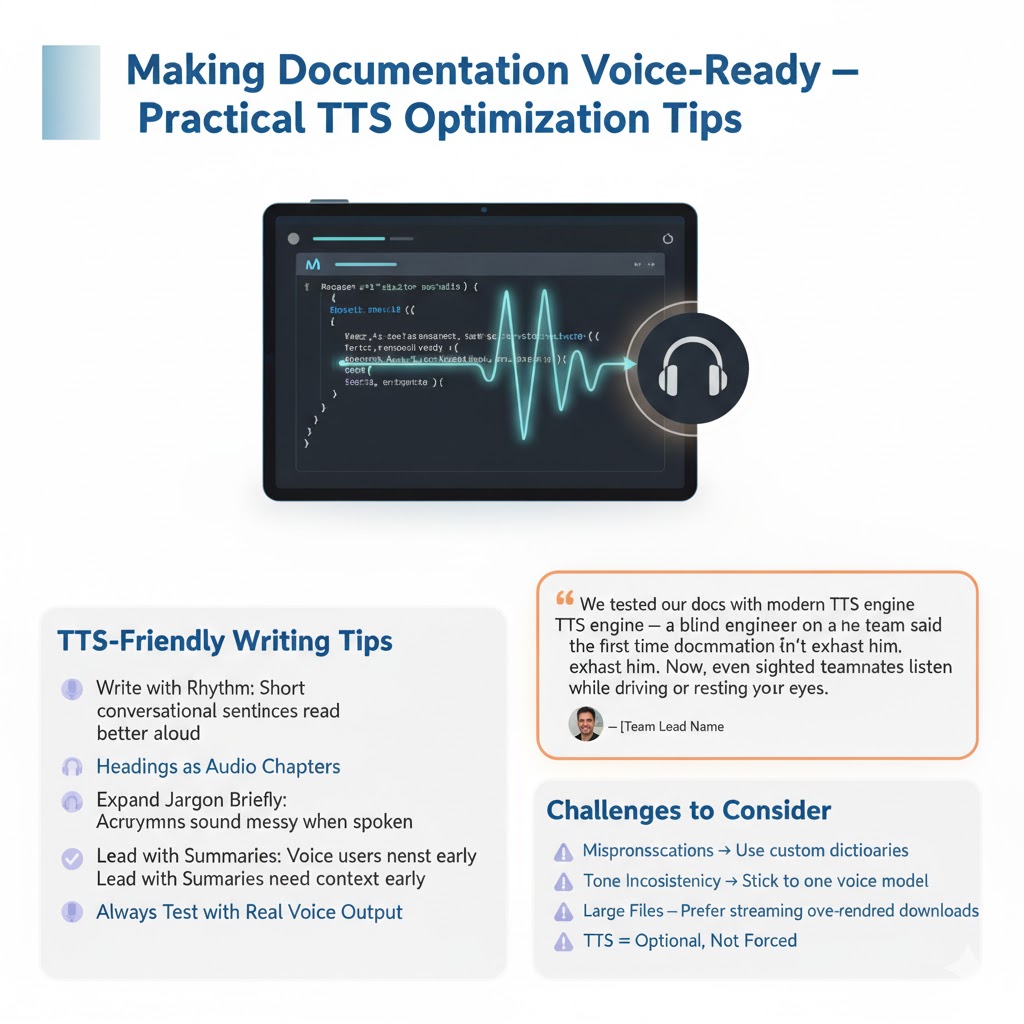
Of course, not all documentation is equally suited for voice. Here are some practical tips to make your docs “voice ready”:
- Write with rhythm: Long, complex sentences are hard to follow when spoken aloud. Aim for shorter, conversational phrasing.
- Use headings sparingly: Clear section headings help listeners navigate. Think of them as audio chapter markers.
- Avoid jargon overload: Technical terms and acronyms can sound garbled when spoken. Give expansions or context where feasible.
- Use summaries: Start sections with a summary. It helps listeners grasp the main point before getting into details.
- Test with actual voices: Run your docs through a TTS engine and listen. You’ll quickly spot awkward phrasing or formatting issues.
The Human Side: A Personal Example
Recently, I was with a team which had this huge internal knowledge base. One of the engineers, being blind, relied heavily on screen readers. The voiceover robot-like style, however, made it exhausting to read even a few pages.
When we tested out a modern TTS model, the difference was like night and day. Docs were no longer unpleasant. The engineer could keep pace without exhausting himself, and the rest of the team started listening to the audio versions too while driving, running, or simply resting eyes.
That experience taught us a simple fact: voice isn’t only for accessibility, but usability in general.
Challenges and Considerations
Yes, as with including TTS in documentation, it’s not without its problems.
- Accuracy: TTS models occasionally mispronounce technical phrases or product names. Custom dictionaries and pronunciation guides can be of assistance.
- Consistency of tone:: Alternating between different TTS engines or voices is jarring. Doing everything on a single model ensures a more cohesive experience.
- File management: Audio files may be large. Streaming on-demand (as opposed to pre generating everything) is usually more efficient.
- User choice: Not everyone will want to listen. Always make TTS available as a choice, never an alternative to text.
These issues are solvable, but they require thoughtful deployment.
The Future of Speaking Docs
In the future, the possibilities are exciting:
- Interactive voice navigation: Simply ask your docs, “Describe authentication” and skip straight to that part.
- Custom voices: Users may choose a preferred voice, accent, or even rate, tailoring the experience to their needs.
- Analytics based storytelling: Documents may adjust according to usage patterns, highlighting sections that are most important to a given audience.
- Seamless multimodal experiences: Shifting between reading, listening, and even watching (with AI-generated video summaries) could become the new standard.
Conclusion
Documentation has always been an issue of bridging people and knowledge. For decades, that bridge was built with text alone. Now, with AI powered text to speech, we’re adding a new lane: voice.
Writing that talks is more compelling, more welcoming, and more in keeping with the way people actually receive information nowadays. From developers who listen for API mentions to teams that turn release notes into podcasts to analytics dashboards that voice insights, the applications are endless.
If you’re in the docs or analytics business, this is the time to start testing. Run your docs through a TTS engine. Play an audio version for your team. Pay attention to how it changes the way people interact with your content.
Since the future of the docs isn’t what you read it’s what you hear.